
It’s been one of my most-requested features, and it’s finally ready for you. This update is *significant*:
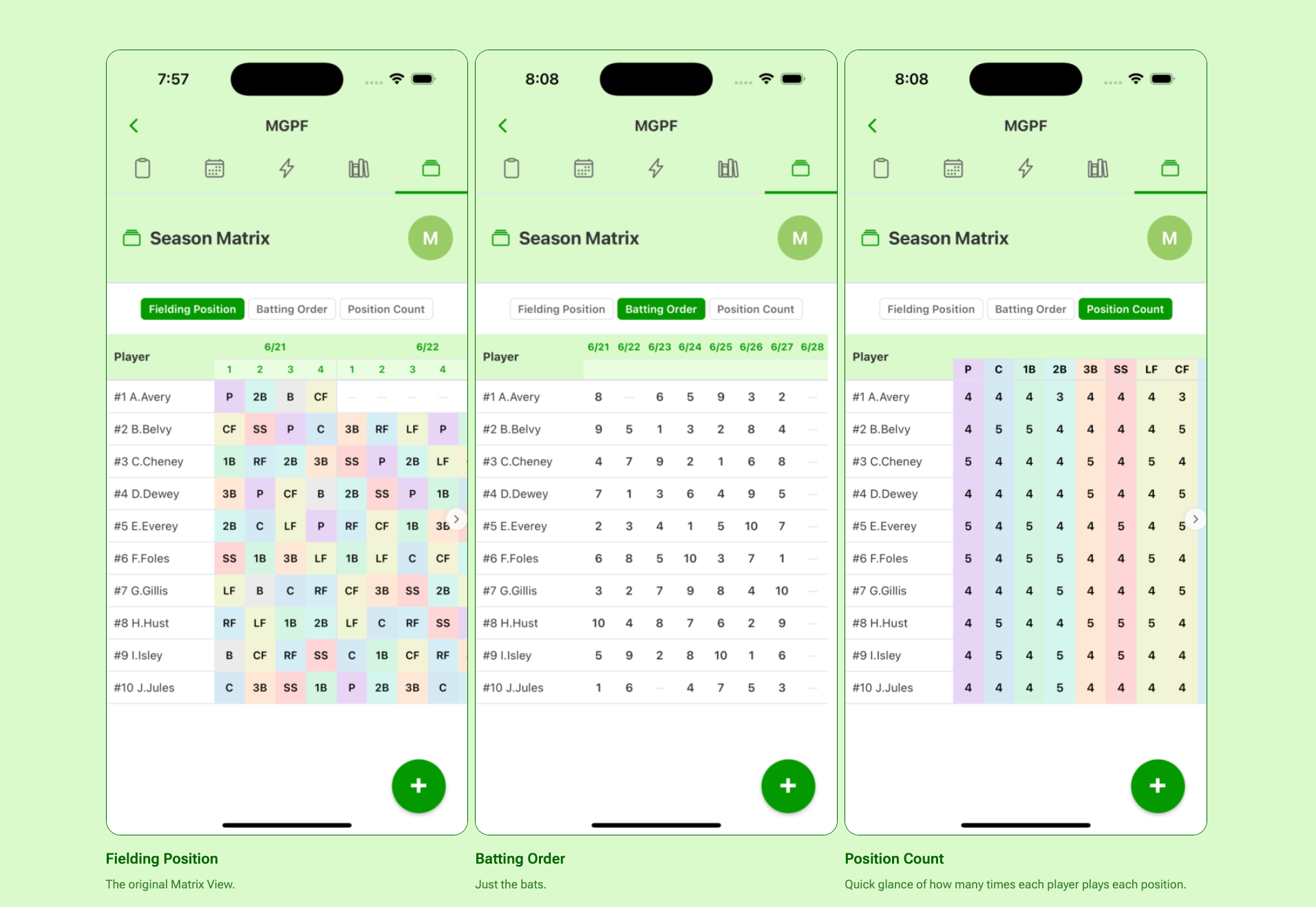
Season Matrix gives coaches eyes directly on every player position placement, inning-by-inning, game-by-game, in a single, new Season Matrix screen. Now, you don’t have to guess if the app is doing its job. Season Matrix shows you that you can trust Lemonade to deliver fast, fair, and right lineups.
Navigating to Season Matrix
Navigate to Season Matrix from the Team Roster screen. Look for the “album” icon, in the roster navigation menu, right next to League Rules.

Season Matrix Views
Season Matrix features three, unique views which let coaches double-check lineup fairness across entire seasons:
- Fielding Position — Position-by-Position, game-by-game, side-by-side data on every player. A way to check every player placement in a matrix layout. Positions are color coded to make them easier to see.
- Batting Order — Game-by-Game batting order placements for every player. Just like Fielding Position View, but without need for inning-by-inning.
- Position Count — Player-by-Player position counts. For how many innings over the course of the season, so far, has Bennie played center field? This view will tell you, plain and simple. No squinting left-to-right across an spreadsheet.
Season Matrix Views

Fielding Position
The original Matrix View.

Batting Order
Just the bats.

Position Count
Quick glance of how many times each player plays each position.
This is an OTA update and is available for free to all coaches as a part of our iterative app improvement plan. Over-The-Air (OTA) updates push changes to users, but strictly only for non-native code like JavaScript or CSS.